Data Analysis using Postgres SQL

–Download dataset from kaggle “World Population dataset–
https://www.kaggle.com/datasets/iamsouravbanerjee/world-population-dataset–
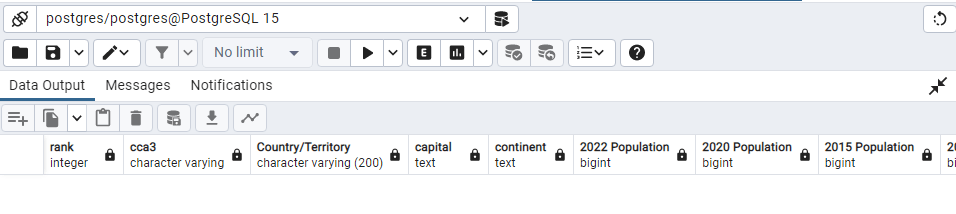
CREATE TABLE public.world_population (
Rank INT,
CCA3 Varchar,
“Country/Territory” VARCHAR(200),
Capital Text,
Continent Text,
“2022 Population” BIGINT,
“2020 Population” BIGINT,
“2015 Population” BIGINT,
“2010 Population” BIGINT,
“2000 Population” BIGINT,
“1990 Population” BIGINT,
“1980 Population” BIGINT,
“1970 Population” BIGINT,
“Area (km²)” NUMERIC(10,2),
“Density (per km²)” NUMERIC(10,2),
“Growth Rate” NUMERIC(10,2),
“World Population Percentage”NUMERIC(10,2)
);
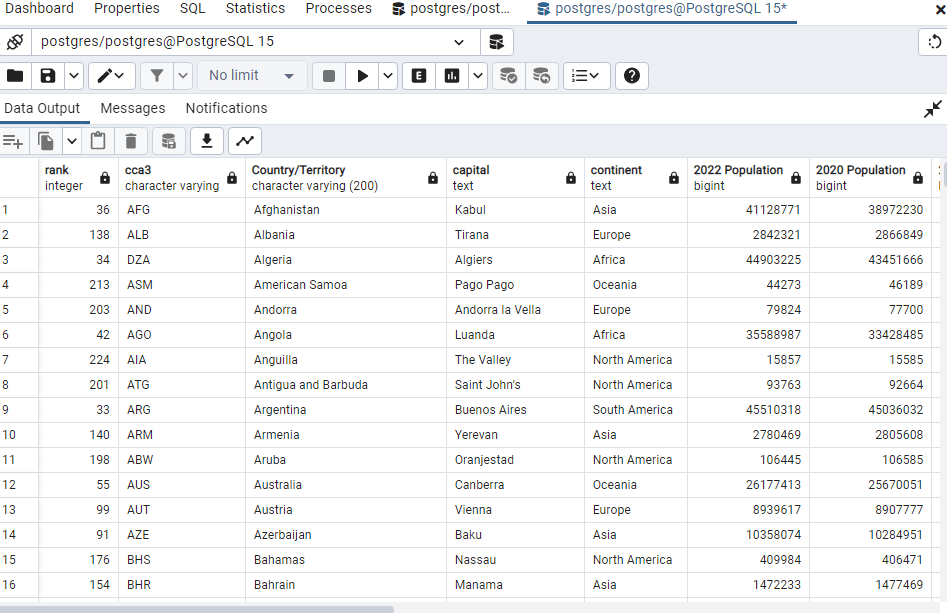
SELECT * FROM public.world_population;
COPY public.world_population
FROM ‘C:\Users\laxmi\Downloads\world_population.csv’
WITH (FORMAT CSV, HEADER);
SELECT * FROM public.world_population;
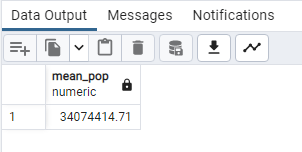
SELECT ROUND (AVG(“2022 Population”),2) AS mean_pop
FROM public.world_population;
SELECT ROUND (AVG(“Growth Rate”),2) AS mean_pop
FROM public.world_population;
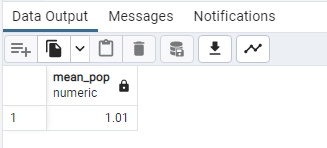
SELECT
PERCENTILE_CONT(0.5) WITHIN GROUP (ORDER BY “Growth Rate”) AS median_pop
FROM public.world_population;
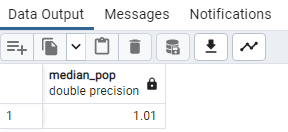
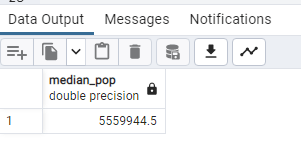
SELECT
PERCENTILE_CONT(0.5) WITHIN GROUP (ORDER BY “2022 Population”) AS median_pop
FROM public.world_population;
SELECT
MIN(“2022 Population”) AS min_pop
FROM public.world_population;
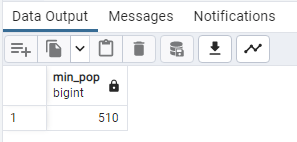
SELECT “2022 Population” ,”rank” “cca3”, “Country/Territory”, “capital”
FROM world_population
WHERE “2022 Population” = ‘510’;
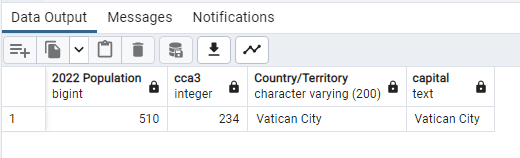
–So Vatican City has minimum population–
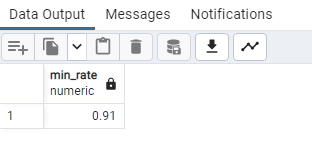
SELECT
MIN(“Growth Rate”) AS min_rate
FROM public.world_population;
ALTER TABLE public.world_population
ALTER COLUMN “Growth Rate” TYPE Numeric
USING “Growth Rate”::Numeric;
OR
SELECT “Growth Rate”, CAST (“Growth Rate” AS Numeric( 10,2))
FROM public.world population
SELECT “2022 Population” ,”rank” “cca3”, “Country/Territory”, “capital” “Growth Rate”
FROM world_population
WHERE “Growth Rate” = ‘0.91’;
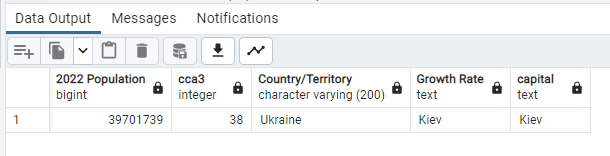
_–Minimum Growth rate is in Ukraine Kiev–
SELECT
MAX(“2022 Population”) AS Max_pop
FROM public.world_population;
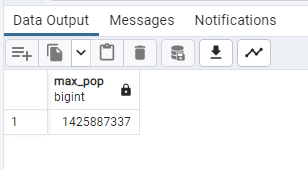
SELECT “2022 Population” ,”rank” “cca3”, “Country/Territory”, “capital”
“Growth Rate”,”capital”
FROM world_population
WHERE “2022 Population” = ‘1425887337’;
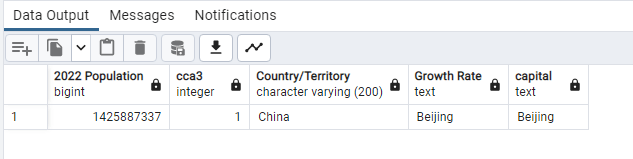
–So miximum population in 2022 was China Beijing–
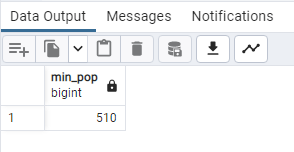
SELECT
MIN(“2022 Population”) AS Min_pop
FROM public.world_population;
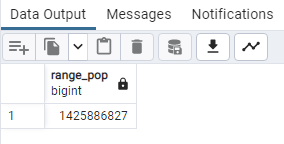
SELECT
MAX(“2022 Population”) – MIN(“2022 Population”) AS range_pop
FROM public.world_population;
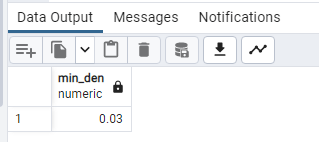
SELECT
MIN(“Density (per km²)”) AS Min_den
FROM public.world_population;
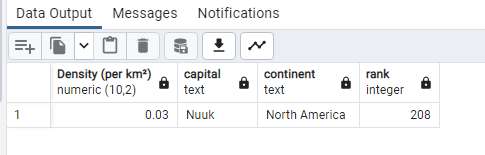
SELECT (“Density (per km²)”), “capital”, “continent”, “rank”
FROM world_population
WHERE (“Density (per km²)”) <= ‘0.03’
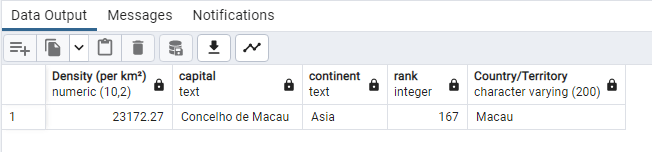
SELECT (“Density (per km²)”), “capital”, “continent”, “rank”,
“Country/Territory”
FROM world_population
WHERE (“Density (per km²)”) >= ‘23172.27’;
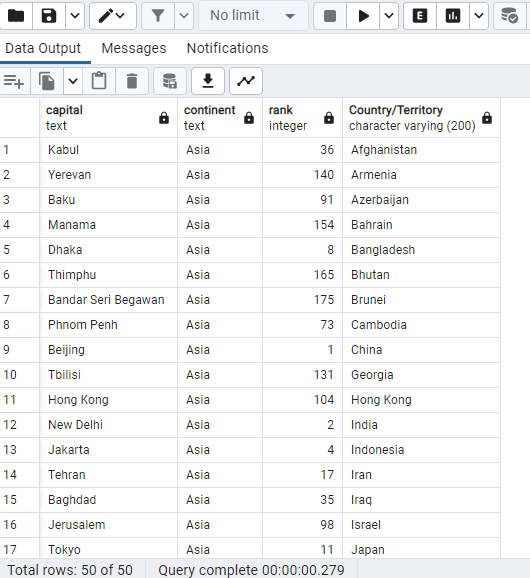
SELECT “capital”, “continent”, “rank”, “2022 Population”
“Country/Territory”
FROM world_population
WHERE (“continent”) = ‘Asia’;
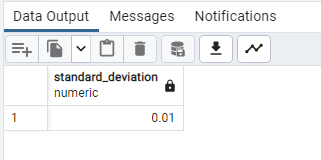
SELECT
ROUND(STDDEV(“2020 Population”), 2) AS standard_deviation
FROM public.world_population;
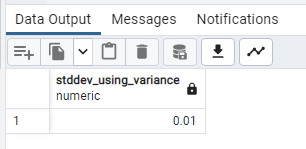
SELECT
ROUND(SQRT(VARIANCE(“Growth Rate”)), 2) AS stddev_using_variance
FROM public.world_population;
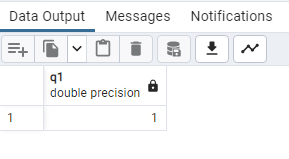
SELECT
PERCENTILE_CONT(0.25) WITHIN GROUP (ORDER BY “Growth Rate”) AS q1
FROM public.world_population;
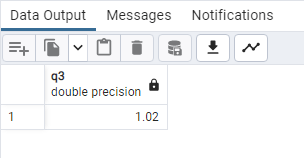

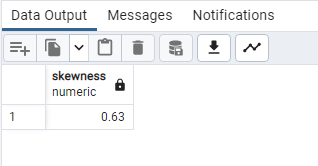
WITH mean_median_sd AS
(
SELECT
AVG(“2022 Population”) AS mean,
PERCENTILE_CONT(0.5) WITHIN GROUP (ORDER BY “2020 Population”) AS median,
STDDEV(“2022 Population”) AS stddev
FROM public.world_population
)
SELECT
ROUND(3 * (mean – median)::NUMERIC / stddev, 2) AS skewness
FROM mean_median_sd;
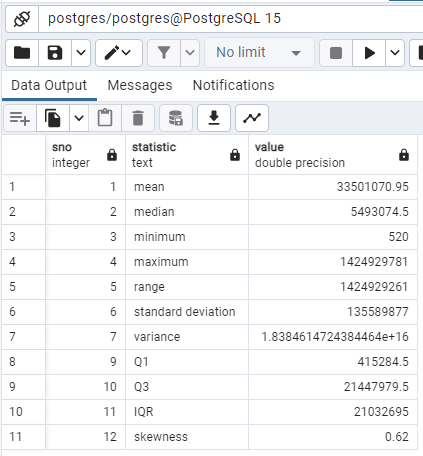
WITH RECURSIVE
summary_stats AS
(
SELECT
ROUND(AVG(“2020 Population”), 2) AS mean,
PERCENTILE_CONT(0.5) WITHIN GROUP (ORDER BY “2020 Population”) AS median,
MIN(“2020 Population”) AS min,
MAX(“2020 Population”) AS max,
MAX(“2020 Population”) – MIN(“2020 Population”) AS range,
ROUND(STDDEV(“2020 Population”), 2) AS standard_deviation,
ROUND(VARIANCE(“2020 Population”), 2) AS variance,
PERCENTILE_CONT(0.25) WITHIN GROUP (ORDER BY “2020 Population”) AS q1,
PERCENTILE_CONT(0.75) WITHIN GROUP (ORDER BY “2020 Population”) AS q3
FROM public.world_population
),
row_summary_stats AS
(
SELECT
1 AS sno,
‘mean’ AS statistic,
mean AS value
FROM summary_stats
UNION
SELECT
2,
‘median’,
median
FROM summary_stats
UNION
SELECT
3,
‘minimum’,
min
FROM summary_stats
UNION
SELECT
4,
‘maximum’,
max
FROM summary_stats
UNION
SELECT
5,
‘range’,
range
FROM summary_stats
UNION
SELECT
6,
‘standard deviation’,
standard_deviation
FROM summary_stats
UNION
SELECT
7,
‘variance’,
variance
FROM summary_stats
UNION
SELECT
9,
‘Q1’,
q1
FROM summary_stats
UNION
SELECT
10,
‘Q3’,
q3
FROM summary_stats
UNION
SELECT
11,
‘IQR’,
(q3 – q1)
FROM summary_stats
UNION
SELECT
12,
‘skewness’,
ROUND(3 * (mean – median)::NUMERIC / standard_deviation, 2) AS skewness
FROM summary_stats
)
SELECT *
FROM row_summary_stats
ORDER BY sno;
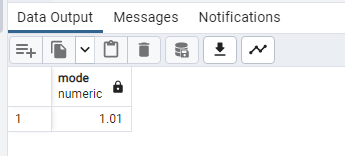
SELECT
MODE() WITHIN GROUP (ORDER BY “Growth Rate”) AS mode
FROM public.world_population;
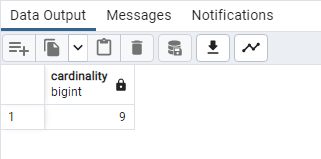
SELECT
COUNT(DISTINCT “Growth Rate”) AS cardinality
FROM public.world_population;
–Periodicity and relative periodicity
Using GROUP BY and COUNT in Postgres, we can determine how often each category appears in a categorical field. In order to calculate the relative frequency, we will utilize a CTE to count all of the values in the rating column. We’ll utilize CTE because not all databases allow window functions. We’ll also go over how to use window functions to calculate relative frequency.–
WITH total_count AS
(
SELECT
COUNT(“Growth Rate”) AS total_cnt
FROM public.world_population
)
SELECT
“Growth Rate”,
COUNT(“Growth Rate”) AS frequency,
ROUND(COUNT(“Growth Rate”)::NUMERIC /
(SELECT total_cnt FROM total_count), 4) AS relative_frequency
FROM public.world_population
GROUP BY “Growth Rate”
ORDER BY frequency DESC;
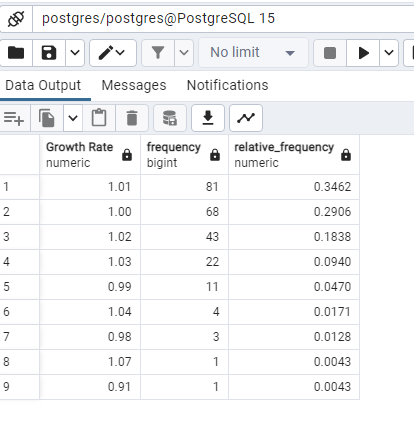
–The count of values in the rating field is captured by a CTE in the example above. The percentage/relative frequency of each category in the rating field was then determined using it. We’ll explore a less complicated method of computing relative frequency utilizing window functions as Postgres supports them. The total number of values in the rating field is determined by adding the counts of ratings across each category, which we will do using the OVER() function.–
SELECT
“Growth Rate”,
COUNT(“Growth Rate”) AS frequency,
ROUND(COUNT(“Growth Rate”)::NUMERIC / SUM(COUNT(“Growth Rate”)) OVER(), 4) AS relative_frequency
FROM public.world_population
GROUP BY “Growth Rate”
ORDER BY frequency DESC;
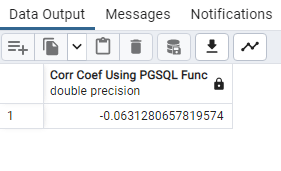
SELECT
corr(“Area (km²)”, “Density (per km²)”) as “Corr Coef Using PGSQL Func”
FROM public.world_population;
ALTER TABLE public.world_population
ALTER COLUMN “Area (km²)” TYPE Numeric
USING “Area (km²)”::Numeric;
–the slope, intercept, and R-squared value of a linear regression model with “Area (km²)” as the independent variable and “Density (per km²)” as the dependent variable. The resulting regression formula and R-squared value would be returned as a string with the alias “regression_formula_output”.
The regr_slope() function is used to calculate the slope of the linear regression line, which represents the average change in the dependent variable (“Density (per km²)”) for a unit change in the independent variable (“Area (km²)”).
The regr_intercept() function is used to calculate the y-intercept of the linear regression line, which represents the value of the dependent variable when the independent variable is zero.
The regr_r2() function is used to calculate the R-squared value of the linear regression model, which represents the proportion of the variance in the dependent variable that is explained by the independent variable.
It is important to note that this query will only work if the database you are querying has a table called “world_population” with columns called “Area (km²)” and “Density (per km²)”. It is also important to make sure that the data in these columns are numeric and appropriate for calculating a linear regression model.–
SELECT ‘Y=’ || regr_slope(“Area (km²)”, “Density (per km²)”) || ‘X+’ ||
regr_intercept(“Area (km²)”, “Density (per km²)”) ||
‘ is the regression formula with R-squared value of ‘ || regr_r2(“Area (km²)”, “Density (per km²)”) AS regression_formula_output
FROM public.world_population;

Textual Analysis for TF-IDF (Term Frequency-Inverse Document Frequency; Row-based and column-based, stop-word removal?
For text analysis download data from here;
https://drive.google.com/file/d/1rf4JDrfsxjLEAC-igRwDZr_cIaJiPm5a/view?usp=sharing
CREATE TABLE president_speeches (
president text NOT NULL,
title text NOT NULL,
speech_date date NOT NULL,
speech_text text NOT NULL,
search_speech_text tsvector,
CONSTRAINT speech_key PRIMARY KEY (president, speech_date)
);
COPY president_speeches (president, title, speech_date, speech_text)
FROM ‘C:\Users\laxmi\Documents\president_speeches.csv’
WITH (FORMAT CSV, DELIMITER ‘|’, HEADER OFF, QUOTE ‘@’);
SELECT * FROM president_speeches;
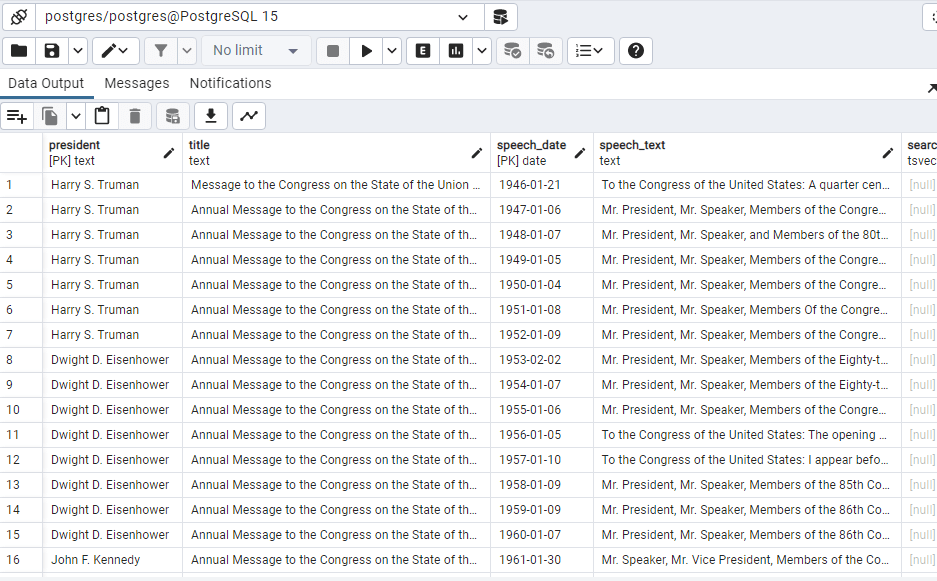
SELECT * FROM president_speeches ORDER BY speech_date DESC;
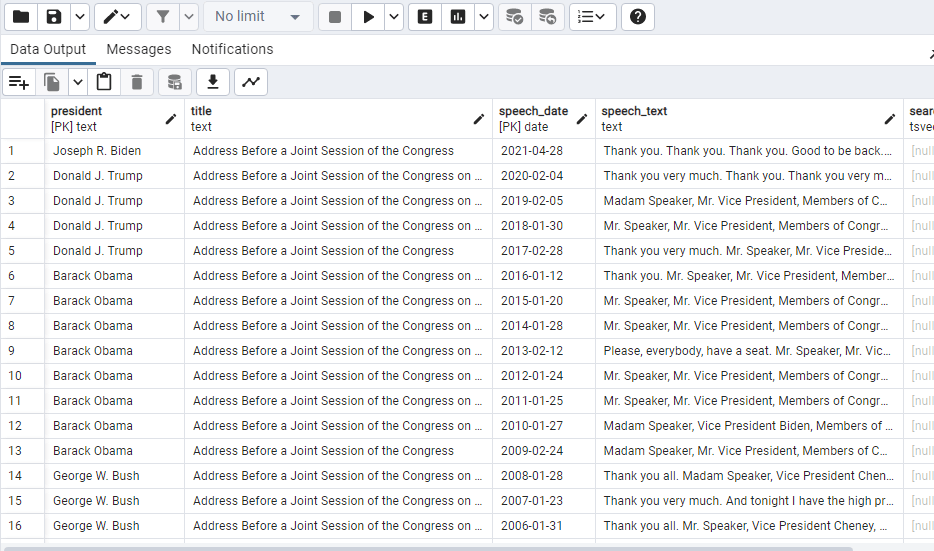
SELECT * FROM president_speeches
where to_tsvector(speech_text) @@ to_tsquery(‘government’);
–Speeches where word “government” is used–
ALTER TABLE president_speeches
ADD COLUMN document tsvector;
UPDATE president_speeches
SET document=to_tsvector
(president||”||title||”||speech_date||”||speech_text||”||search_speech_text);
SELECT * FROM president_speeches
where to_tsvector(speech_text) @@ to_tsquery(‘Vietnam’);
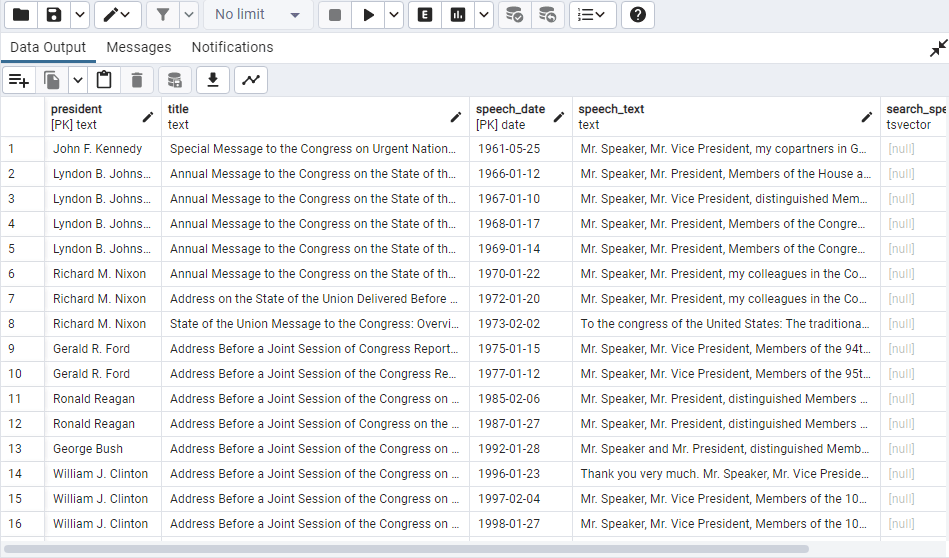
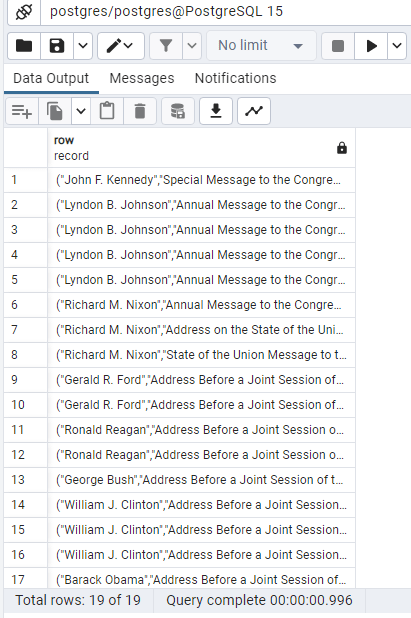
SELECT (president, title, speech_date, speech_text)
FROM president_speeches
where to_tsvector
(president||”|| title||”|| speech_date||”|| speech_text) @@ to_tsquery(‘Vietnam’);
UPDATE president_speeches
SET document_with_idx=to_tsvector
(president||”||title||”||speech_text||search_speech_text||”||document||coalesce(speech_text,”));
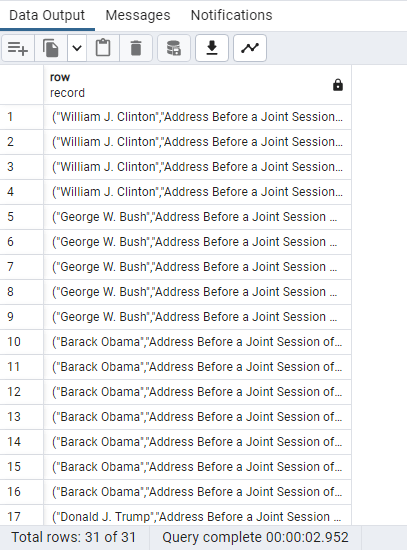
SELECT (president, title, speech_date, speech_text)
FROM president_speeches
where to_tsvector
(president||”|| title||”|| speech_date||”|| speech_text) @@ to_tsquery(‘Immigration’);
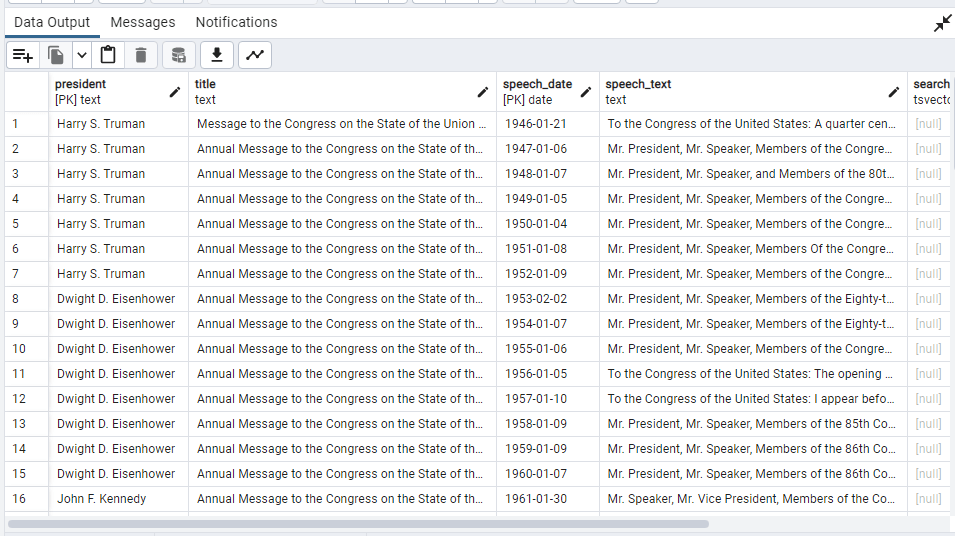
SELECT *
FROM president_speeches
where to_tsvector
(president||”|| title||”|| speech_date||”|| speech_text) @@ to_tsquery(‘tax’)
ORDER BY speech_date;
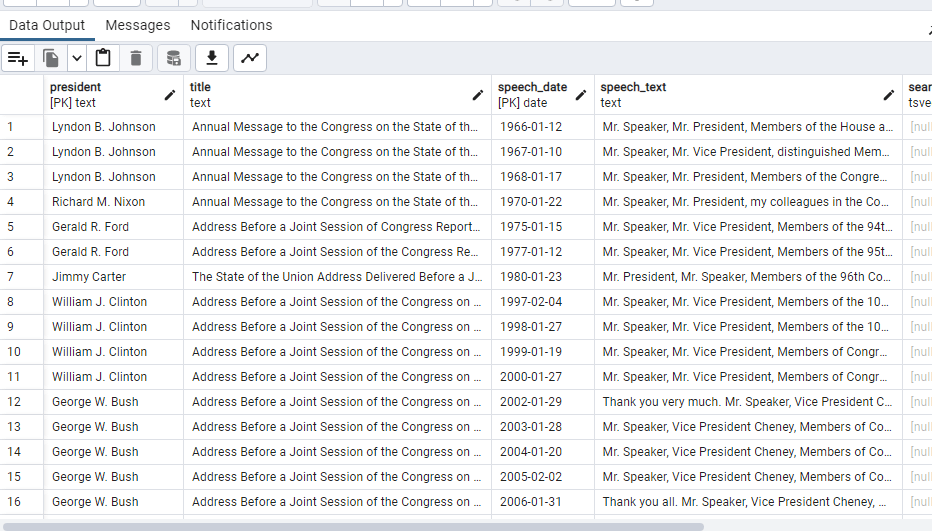
SELECT * FROM president_speeches
where to_tsvector(speech_text) @@ to_tsquery(‘Korea’);
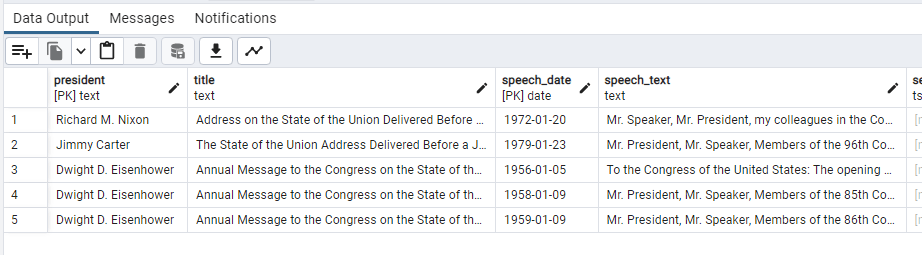
SELECT * FROM president_speeches
where to_tsvector(speech_text) @@ to_tsquery(‘military <-> defense’);
 Home Home sweet sweet home